Deploy your first skill in minutes.
Call it from any MCP-compatible agent.
A Skill Function is a callable AI endpoint hosted in the cloud. You give it a .md file — your instructions, your expertise, your domain knowledge — and it runs as a protected endpoint on InferX. Your agent calls it. The skill thinks. The intelligence is yours.
Create your skill
You have two options:
Option A — Create from scratch
Write your skill directly in the dashboard. Give it a name, write your instructions in markdown, and select a backing model. The model is bound to the skill — every caller gets the right model automatically.
CREATE FROM SCRATCH
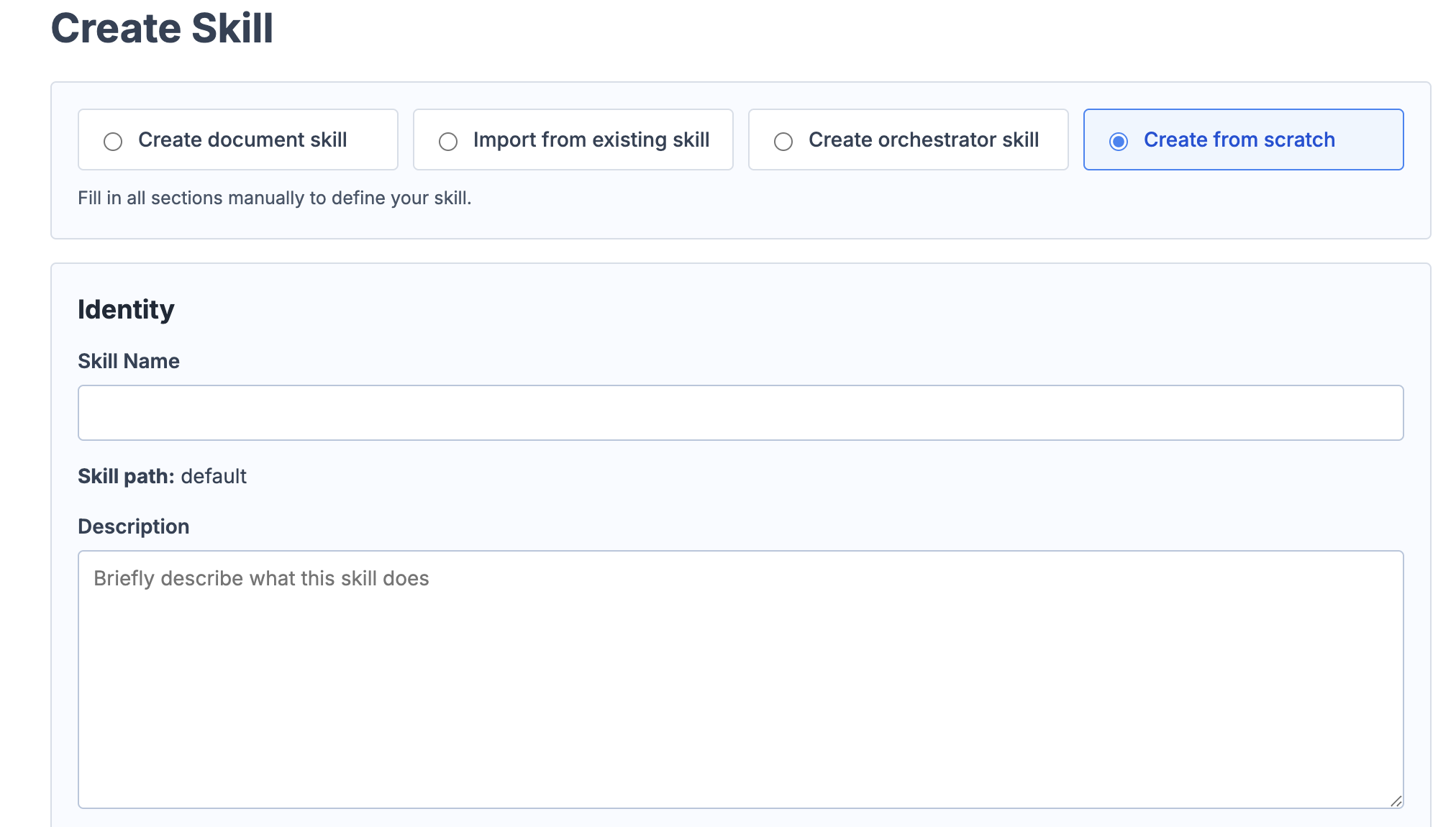
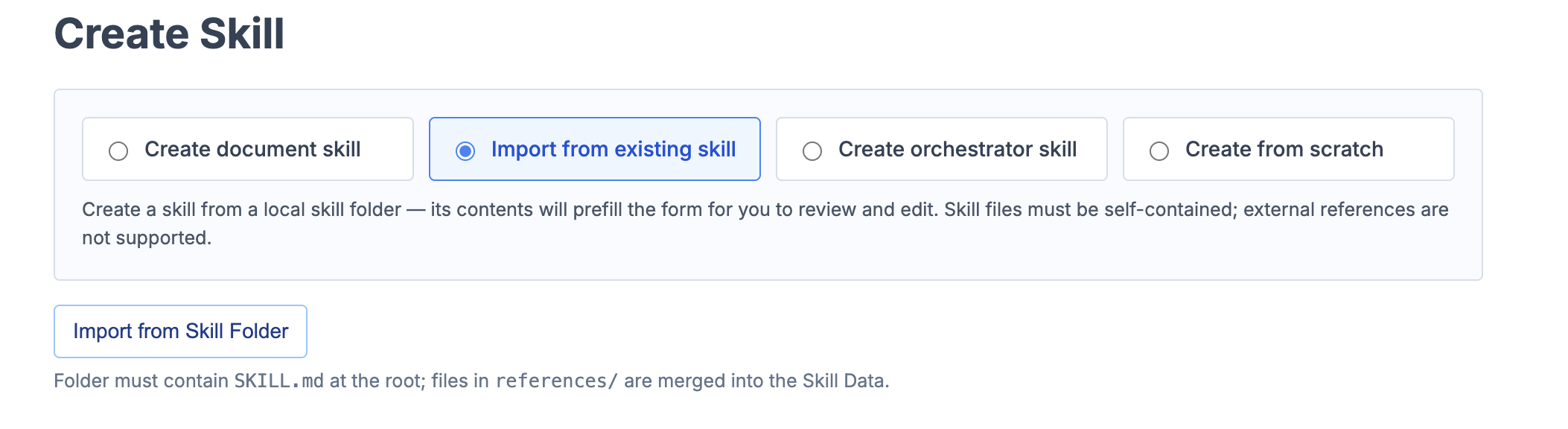
Option B — Import an existing .md file
Already have a SKILL.md or a folder of .md files? Import it directly. The folder must contain at least one .md file. InferX turns it into a callable endpoint immediately.
IMPORT FROM SKILL FOLDER
Select a backing model
When creating your skill, choose the model that best fits its task:
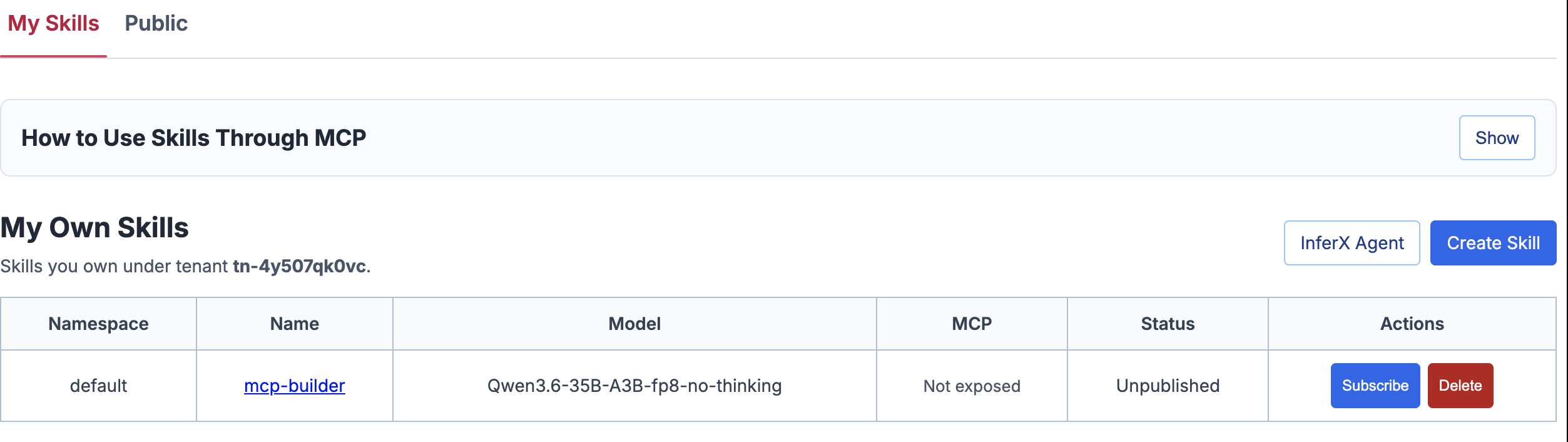
Find your skill in My Skills
Once created, your skill appears in the My Skills section. You'll see the skill name, backing model, endpoint URL, and status. From here you can subscribe, delete, or click through to the skill details.
MY SKILLS PAGE
Configure InferX MCP
Add InferX to your agent's MCP configuration. Once configured, your subscribed skills auto-appear as callable tools — no manual wiring needed.
Claude Code / claude_desktop_config.json
Cursor: Add InferX as an MCP server in Cursor settings. Use the same endpoint URL above.
OpenClaw / other MCP-compatible agents: Follow your agent's MCP config guide. Point it to https://api.inferx.net/mcp
Call your skill
Your agent calls your skill automatically when the task matches. You can also call it directly via API:
Build an orchestrator skill
optionalAn orchestrator skill acts as a router. Instead of answering directly, it reads your prompt and decides which skill to invoke.
To build an orchestrator:
- Go to Skills → Create Skill → Create orchestrator skill
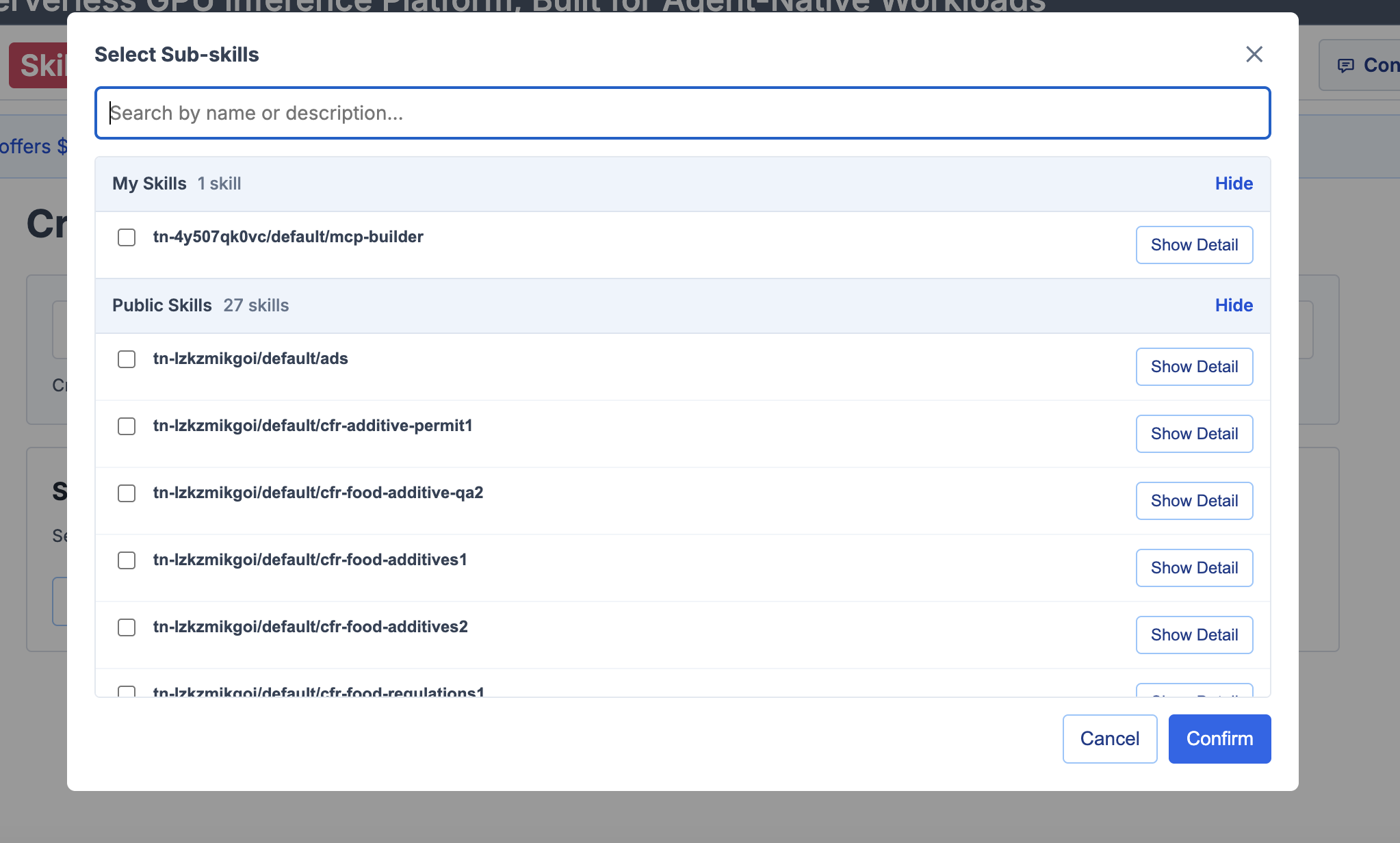
- Click Select Sub-skills and choose all skills to include
- Click Generate Metadata, then create the Orchestrator
- Select a lightweight model — routing doesn't need a large model
- Subscribe to the orchestrator skill
CREATE ORCHESTRATOR SKILL
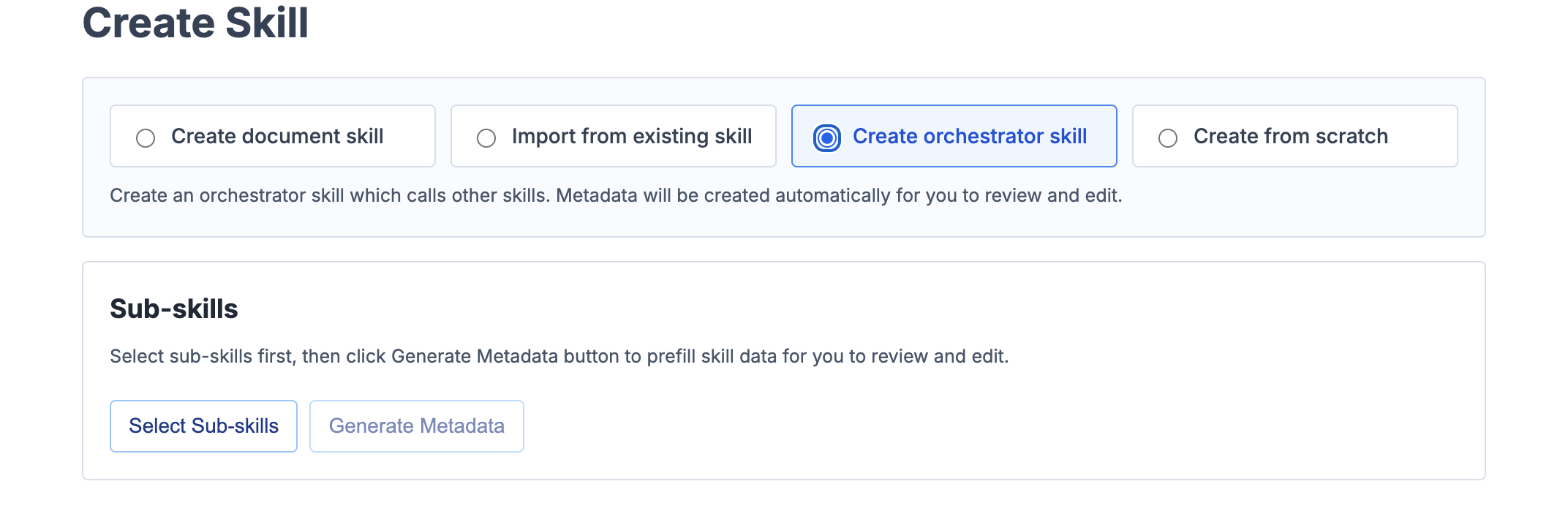
SELECT SUB-SKILLS
Example orchestrator instructions
Tips
- Keep skills focused — one skill, one job. Narrow skills reason better than broad ones.
- Update anytime — edit the .md file, re-deploy, every caller gets the updated version instantly.
- Your skill is your property — private by default. Nobody else can call or copy it.
- Mix models — use a 7B for your orchestrator and 70B for your most complex expert skills.
The model is just the runtime. The skill is the product.
Ready to deploy your first skill?
Free to start. No setup required.